
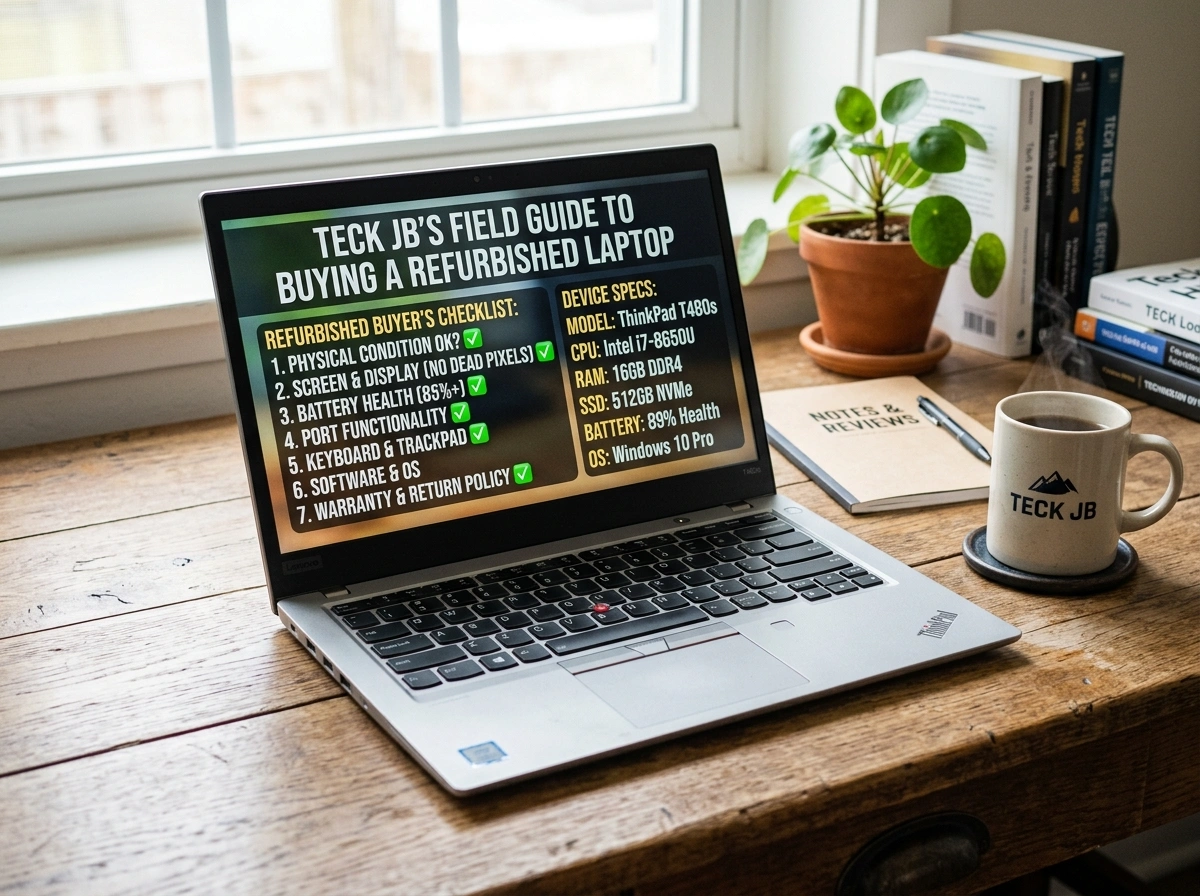
A good laptop should not cost you a fortune. For value-conscious Malaysians, a refurbished laptop offers the perfect balance between performance and price. Whether you study in Kuala Lumpur, run a small business in Johor, or work from home in Penang, a well-chosen refurbished machine can serve you just as well as a brand-new one, often for half the price.
But here is the catch: not every refurbished laptop is a smart buy. Some come with hidden flaws, worn-out batteries, or no warranty at all. That is why you need a clear plan before you spend your hard-earned Ringgit. This field guide walks you through everything you need to know to shop with confidence and avoid regret.
Why Buying a Refurbished Laptop Is a Smart Choice
Let us start with the obvious benefit: value for money. A refurbished laptop has been returned, repaired, tested, and restored to working condition. You get a device that performs like new while paying significantly less.
Here is why so many Malaysians are making the switch:
- Lower cost: You can save anywhere from 20% to 50% compared to buying new. For families and students watching their budget, that gap matters.
- Eco-friendly choice: Buying refurbished keeps usable electronics out of landfills. You reduce e-waste and give a good machine a second life.
- Higher specs for less: The money you save can stretch further. A refurbished business-grade laptop often beats a cheap new model in build quality and speed.
- Tested reliability: Reputable sellers inspect and certify each unit, so you know it works before it reaches you.
In short, going refurbished is a practical decision that respects both your wallet and the planet.
What to Look for When Inspecting a Refurbished Laptop
Before you commit, inspect the laptop carefully. Whether you buy online or in person, run through this checklist.
Hardware Condition
Check the processor, RAM, and storage first. Make sure the specs match what the seller advertised. For everyday tasks, look for at least an Intel Core i5 (or equivalent), 8GB of RAM, and an SSD rather than an old hard drive. An SSD makes a huge difference in speed.
Open the laptop and look for cracks, dents, or loose hinges. A few light scratches are normal on refurbished units, but anything structural is a red flag.
Battery Health
The battery is often the weakest point on a used laptop. Ask the seller about battery health or cycle count. On Windows, you can generate a battery report to see the difference between the design capacity and the current capacity. A battery holding 80% or more of its original capacity is acceptable.
Display Quality
Turn on the screen and check for dead pixels, backlight bleed, flickering, or discolouration. Display a plain white image and then a plain black one to spot any defects. The screen is expensive to replace, so do not skip this step.
Ports and Connectivity
Test every port: USB, HDMI, audio jack, charging port, and the SD card slot if it has one. Connect to Wi-Fi and Bluetooth to confirm both work. A dead port can be a daily frustration, so verify them all.
Operating System and Software
Make sure the laptop runs a genuine, activated operating system. A pirated copy of Windows can expose you to security risks and leave you without updates. Confirm the OS boots quickly and the licence is valid.
Also test the keyboard, trackpad, webcam, speakers, and microphone. These small details add up to your daily experience.
Common Mistakes Buyers Make
Even smart shoppers fall into these traps. Avoid them and you avoid most regret.
- Chasing the lowest price only. A suspiciously cheap laptop usually hides a problem. Balance price against condition and warranty.
- Ignoring the warranty. A refurbished laptop with no warranty is a gamble. Always confirm the coverage period before paying.
- Skipping the inspection. Never buy sight unseen from an unverified seller. If you cannot inspect it, at least buy from a trusted source with a return policy.
- Forgetting to check the battery. Many buyers focus on specs and forget the battery, then end up tied to a power outlet.
- Overlooking the seller’s reputation. Read reviews from other Malaysian customers. Their experience tells you more than any sales pitch.
Understanding the Grading System
Refurbished laptops are usually sorted into grades. Knowing what each grade means helps you set the right expectations.
- Grade A: Almost like new. Minimal to no visible wear, excellent battery health, and fully functional. This grade costs the most among refurbished options but still saves you money compared to new.
- Grade B: Light cosmetic wear such as minor scratches or small scuffs. Everything works well, and the price drops further. This is the sweet spot for many value-conscious buyers.
- Grade C: Noticeable wear, possible dents, or a weaker battery. The laptop still functions, but it shows its age. Best for those on a tight budget who care about performance over looks.
There is no shame in choosing Grade B or C if the device meets your needs. Just make sure the listing clearly states the grade and matches what you receive.
Warranty Considerations
A warranty separates a trustworthy seller from a risky one. Before you buy, ask these questions:
- How long does the warranty last? A 3 to 12 month warranty is common and reasonable.
- What does it cover? Look for coverage on hardware faults, not just accessories.
- Is there a return or exchange policy? A short window to return a faulty unit gives you peace of mind.
- How do you make a claim? Local support in your language and a nearby service point make the process far smoother.
A solid warranty shows the seller stands behind their work. It is one of the clearest signs you are dealing with professionals.
Trusted Sources for Buying Refurbished Laptops in Malaysia
Where you buy matters as much as what you buy. Stick to sellers with a strong reputation, clear grading, and proper warranties.
For Malaysian shoppers, a dependable specialist makes the whole process easier. teck jb offers tested and graded refurbished laptops with warranty coverage and local support, helping you buy with confidence rather than guesswork. Choosing a seller who understands the local market means faster service, easier claims, and advice you can actually use.
Beyond specialist stores, keep these tips in mind:
- Read customer reviews and ratings before committing.
- Favour sellers who let you inspect the unit or offer a return window.
- Compare prices across a few trusted sources to confirm you are getting fair value.
- Ask whether the laptop comes with a charger and any original accessories.
Final Thoughts: Buy Smart, Buy Once
A refurbished laptop is one of the smartest purchases you can make today. You get genuine performance, real savings, and a greener choice, all without the new-device price tag. The key is to shop carefully.
Inspect the hardware, check the battery, test every port, and understand the grade you are paying for. Insist on a clear warranty, and buy only from sellers who have earned the trust of other Malaysian customers. Do this, and you will walk away with a machine that serves you well for years.
Take your time, follow this field guide, and you can buy a refurbished laptop without a single regret.